
What changed on June 3, 2026?
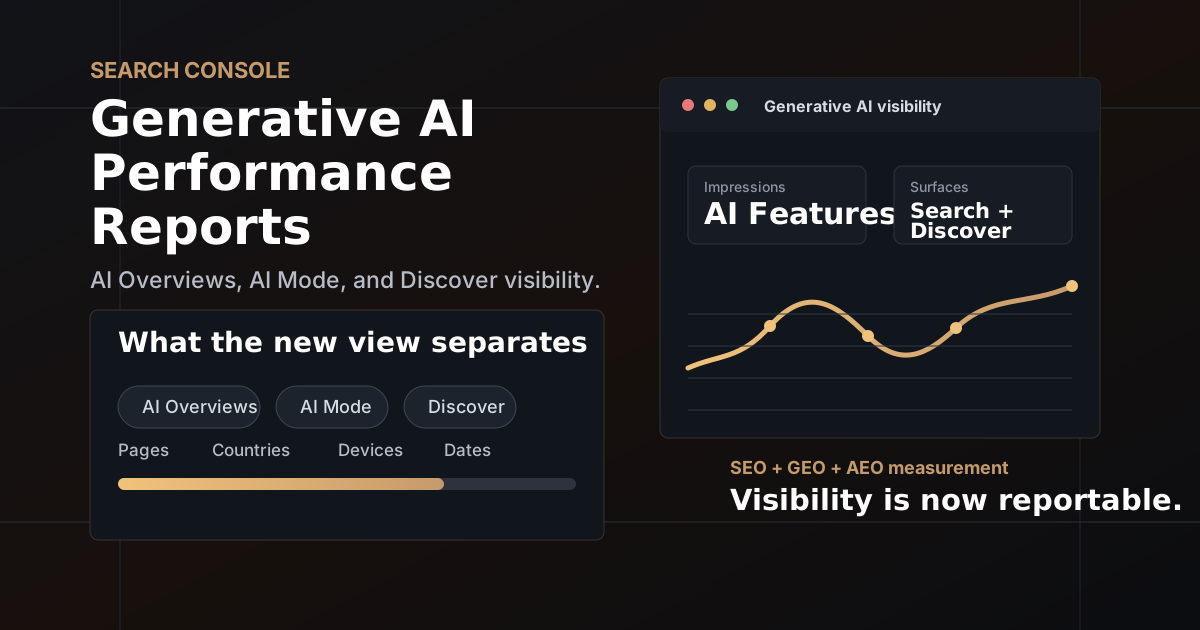
Google announced new Search Generative AI performance reports in Search Console. The reports are meant to give site owners a dedicated view of how often their URLs appear in Google's generative AI experiences, including AI Overviews, AI Mode, and generative AI features in Discover.
The important word is dedicated. Google says this data is already included in overall performance reporting, but the new view separates generative AI visibility so marketers can study it without blending it into the rest of Search and Discover performance.
For years, the SEO conversation around AI search has been awkward because the measurement layer was thin. A brand could suspect that AI Overviews were using its content. It could see odd referral patterns, branded-search lift, or traffic changes around AI-heavy queries. But inside Search Console, generative visibility did not have its own clean lane.
This update does not solve every attribution problem. It does, however, give marketers a better starting point. We can now separate one basic question from all the noise: are our pages showing up inside Google's AI search surfaces at all?
What the New Reports Show
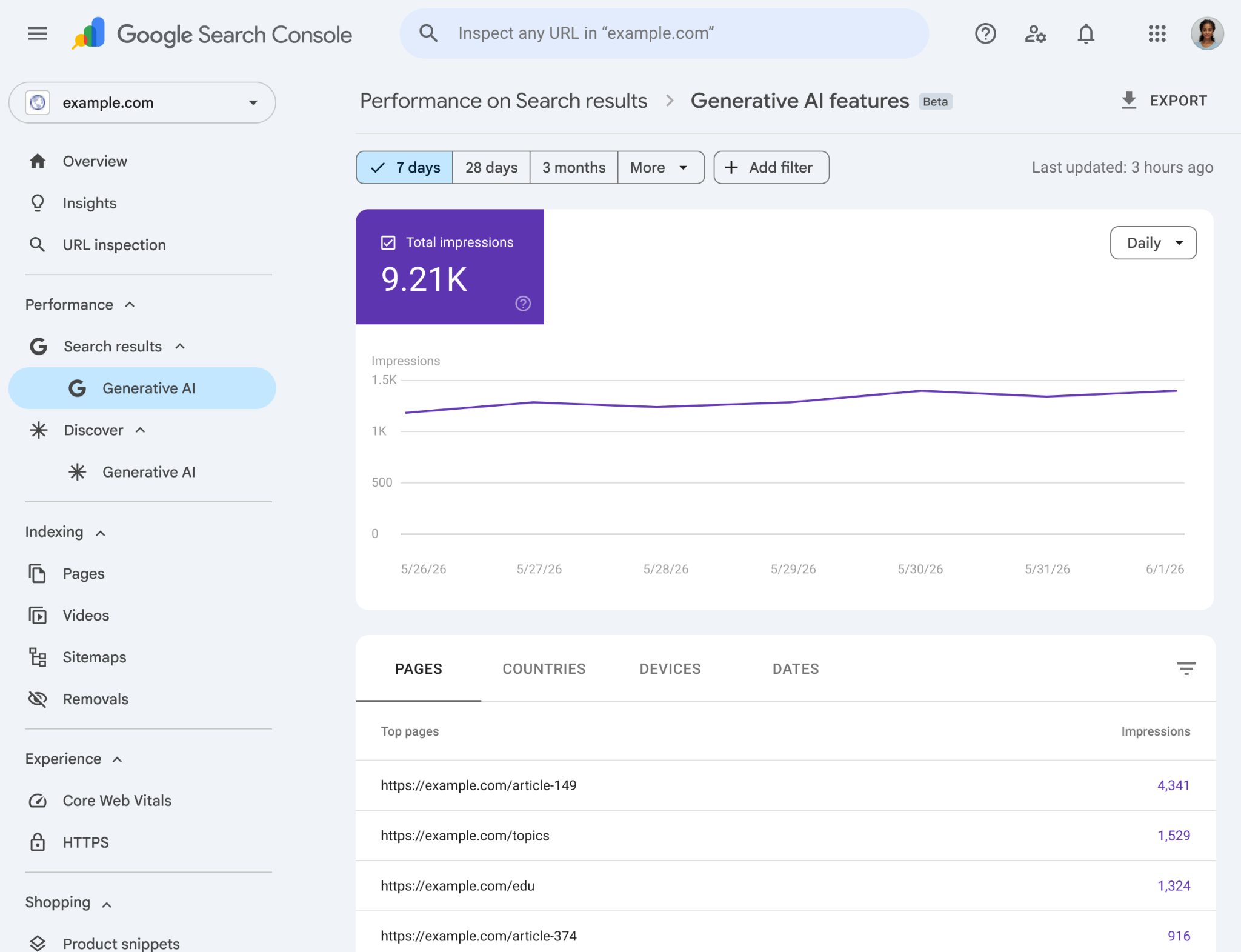
Based on Google's announcement, the new generative AI reports show these dimensions and metrics:
| Report Area | What It Means in Plain English | How to Use It |
|---|---|---|
| Impressions | How often URLs from your site appeared in generative AI features in Search or Discover. | Use this as the baseline visibility KPI for GEO and AEO. It answers whether your pages are entering AI-assisted results. |
| Pages | Which URLs appeared inside AI features. | Find the content types Google is comfortable surfacing: guides, definitions, tools, product pages, FAQs, comparison pages, or news updates. |
| Countries | Where your generative AI visibility appears geographically. | Compare AI visibility by market before assuming a content strategy works everywhere. |
| Devices | Which devices people are using when your site appears in Search generative AI features. | Watch mobile versus desktop patterns, especially for AI Mode and complex research journeys. |
| Dates | Hourly, daily, weekly, and monthly granularity for monitoring changes over time. | Measure before and after content updates, schema changes, internal link updates, and Google interface changes. |
That is a useful dataset, but it is not the same thing as revenue attribution. At launch, Google's public announcement highlights visibility dimensions, not a complete answer to clicks, conversions, assisted pipeline, or why a page was selected.
Measurement Rule
Treat the new report as a visibility report first. Pair it with GA4, server-side events, CRM outcomes, branded search movement, and assisted-conversion analysis before making budget or content decisions.
Why This Matters for SEO
Traditional SEO has always cared about visibility, but the surfaces are changing. A page can influence a search result without earning the classic blue-link click. It can be cited, summarized, used as supporting context, or shown as part of a larger AI answer.
The new Search Console view gives SEO teams a more realistic way to report on that middle layer. Instead of only looking at rankings, clicks, and CTR, you can now ask:
- Which pages are gaining AI search impressions?
- Are those pages the same pages that rank well in classic Search?
- Do high-authority evergreen guides earn more AI visibility than short news posts?
- Does adding clearer definitions, source links, schema, or original examples move the curve?
- Are AI impressions concentrated in one country or device type?
This is where SEO strategy becomes less about chasing one keyword and more about building pages that are easy to understand, quote, verify, and connect to a real entity.
Why This Matters for GEO
Generative Engine Optimization (GEO) is the practice of making content useful and trustworthy enough to be selected, summarized, or referenced by AI search systems. A lot of GEO advice online has been vague because measurement was vague. This report makes the conversation more grounded.
If a page earns traditional organic impressions but no generative AI impressions, that is a clue. It may still be ranking, but it might not be structured, sourced, or complete enough to serve as a useful AI answer source.
A practical GEO audit should now include:
- Answer clarity: Does the page answer the main question in the first few paragraphs without hiding the point?
- Entity clarity: Are people, products, services, locations, dates, and claims named consistently?
- Evidence quality: Does the page include original analysis, specific examples, firsthand observations, or useful visuals?
- Content depth: Does the article cover follow-up questions a user would naturally ask next?
- Technical readability: Are headings, internal links, schema, image alt text, and canonical signals clean?
In plain English: AI search needs pages it can confidently understand. GEO is not magic formatting. It is the work of making a page useful enough that a machine can summarize it without guessing.
Why This Matters for AEO
Answer Engine Optimization (AEO) focuses on being the best answer to a specific question. With AI Overviews and AI Mode, that answer is no longer limited to a featured snippet or FAQ result. It can be part of a synthesized response built from multiple sources.
The new reporting view helps AEO teams find the content that Google already sees as answer-ready. That matters because successful AEO usually starts with improving the pages that are close, not inventing a new content calendar from scratch.
| AEO Signal | What to Look For | Next Move |
|---|---|---|
| High AI impressions, low classic clicks | The page may be useful in AI answers but not driving normal traffic. | Improve the page's reason to click: tools, examples, original data, templates, comparisons, or deeper next-step content. |
| High classic impressions, low AI impressions | The page ranks, but may not be answer-ready for generative surfaces. | Strengthen definitions, structure, sources, schema, and topical completeness. |
| AI impressions concentrated on a few pages | Google may trust certain content formats more than others on your site. | Study those pages and reuse the pattern across related topics. |
| Country or device gaps | AI search behavior may differ by market or interface. | Localize examples, improve mobile page experience, and check whether content fits the market's search intent. |
The First 30 Minutes After You Get Access
If the report appears in your Search Console account, do not start by celebrating or panicking. Start with a baseline. The first export should simply help you understand what Google is already surfacing.
- Open the Search generative AI report and note total impressions for the last 28 days.
- Switch to the Pages view and export the top URLs by AI impressions.
- Group pages by content type: blog post, tool, service page, city page, product page, case study, guide, or FAQ.
- Compare countries to see whether AI visibility is local, national, or uneven across markets.
- Check devices for Search results, especially if your audience researches on mobile but converts on desktop.
- Compare hourly, daily, weekly, and monthly views around known publishing dates, content updates, and algorithm/interface changes.
Then map the top AI-visible pages against your business outcomes. A page that gets generative AI impressions but never supports leads, sales, email signups, or meaningful brand demand is still just visibility. Useful visibility has to connect to a journey.
The 14-Day SEO, GEO, and AEO Sprint
Once you have a baseline, use a short sprint to improve the pages that are most likely to move. I would start with 10 to 20 URLs, not the whole site.
- Day 1 to 2: Build the baseline. Export pages, countries, devices, and dates from the new report. Add classic Search Console clicks, impressions, and CTR for the same URLs.
- Day 3 to 5: Rewrite for answer clarity. Add plain-English definitions, sharper section headings, direct answers, and better summaries near the top of each page.
- Day 6 to 8: Strengthen proof. Add original examples, screenshots, diagrams, benchmarks, source links, author context, and dated observations where relevant.
- Day 9 to 10: Clean up technical signals. Check schema, internal links, canonicals, image alt text, page speed, and crawlability.
- Day 11 to 14: Measure movement. Compare AI impressions by page and country. Look for directional change, not instant certainty.
The goal is not to stuff the page with "AI Overview" language. The goal is to make the page easier for both people and machines to trust.
What the Report Probably Will Not Tell You Yet
This is the part that matters for expectations. The new reports are a good step, but they are not a full AI attribution system.
- They do not automatically explain why your page appeared in an AI response.
- They do not replace rank tracking, log-file analysis, GA4, server-side measurement, or CRM reporting.
- They do not prove that an AI impression caused a conversion.
- They may not be available for your property immediately because Google is rolling them out to a subset of websites first.
- They should not be read as a standalone content-quality score.
That does not make the data weak. It just means the report should be treated as one layer in a measurement model. Think of it as the missing visibility layer between classic SEO reporting and AI-assisted business outcomes.
How I Would Report This to a Leadership Team
For leadership, avoid jargon. The clean version is:
Executive Summary
Google now gives us a separate way to see whether our pages appear in AI-powered Search and Discover experiences. We should use it to understand AI visibility, improve the pages that are already being surfaced, and connect those pages to assisted conversions and pipeline quality before making budget decisions.
Then show three simple charts:
- AI impressions over time for the site.
- Top AI-visible pages grouped by content type.
- AI-visible pages versus business value, using GA4 conversions, assisted conversions, qualified leads, or revenue where available.
That framing keeps the report from becoming another vanity dashboard. Visibility is useful when it tells you where to improve content, where to defend authority, and where AI-assisted discovery might already be shaping demand.
FAQ: Search Console Generative AI Performance Reports
What are Search Console generative AI performance reports?
They are dedicated views in Google Search Console that show how often URLs from your site appear inside Google's generative AI features, including AI Overviews, AI Mode, and generative AI features in Discover.
Does the report show AI Overviews and AI Mode?
Yes. Google's announcement says the new reports are designed to show impressions within generative AI features in Search, such as AI Overviews and AI Mode, plus generative AI features in Discover.
Is this available to every website?
Not yet. As of June 3, 2026, Google says the reports are rolling out to a subset of websites first so it can test them and collect feedback before wider availability.
How should SEO, GEO, and AEO teams use the report?
Use it to find which pages earn generative AI impressions, where those impressions appear by country and device, and whether visibility changes after content, schema, internal link, or freshness updates. Then connect those pages to GA4, CRM, and assisted conversion data.
Does this mean classic SEO is less important?
No. Classic SEO still matters because crawlability, authority, page quality, internal linking, and relevance help Google trust a page. The difference is that SEO now needs to report on more than blue-link clicks. Generative AI visibility is part of the search surface too.
More AI Search Notes
For related strategy, see my notes on Google AI Mode ads, AI search agents, and Google's official AI optimization guidance.
Read the AI Optimization Guide