
For years, paid media planning has lived in a messy middle ground. The reporting was in Google Analytics 4, the spend was split across Google Ads, Meta, TikTok, Reddit, LinkedIn, and platform dashboards, and the actual budget decision often happened in a spreadsheet.
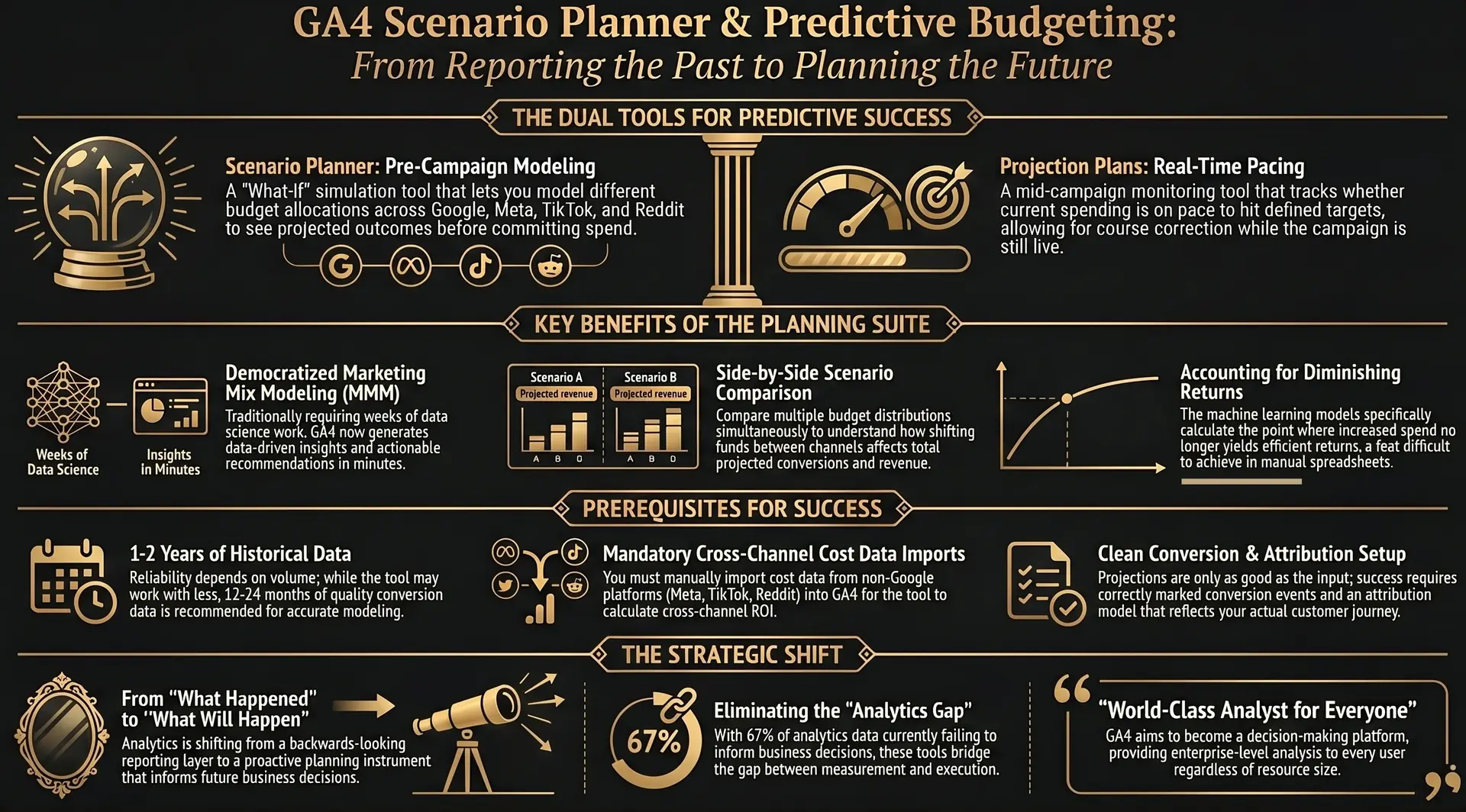
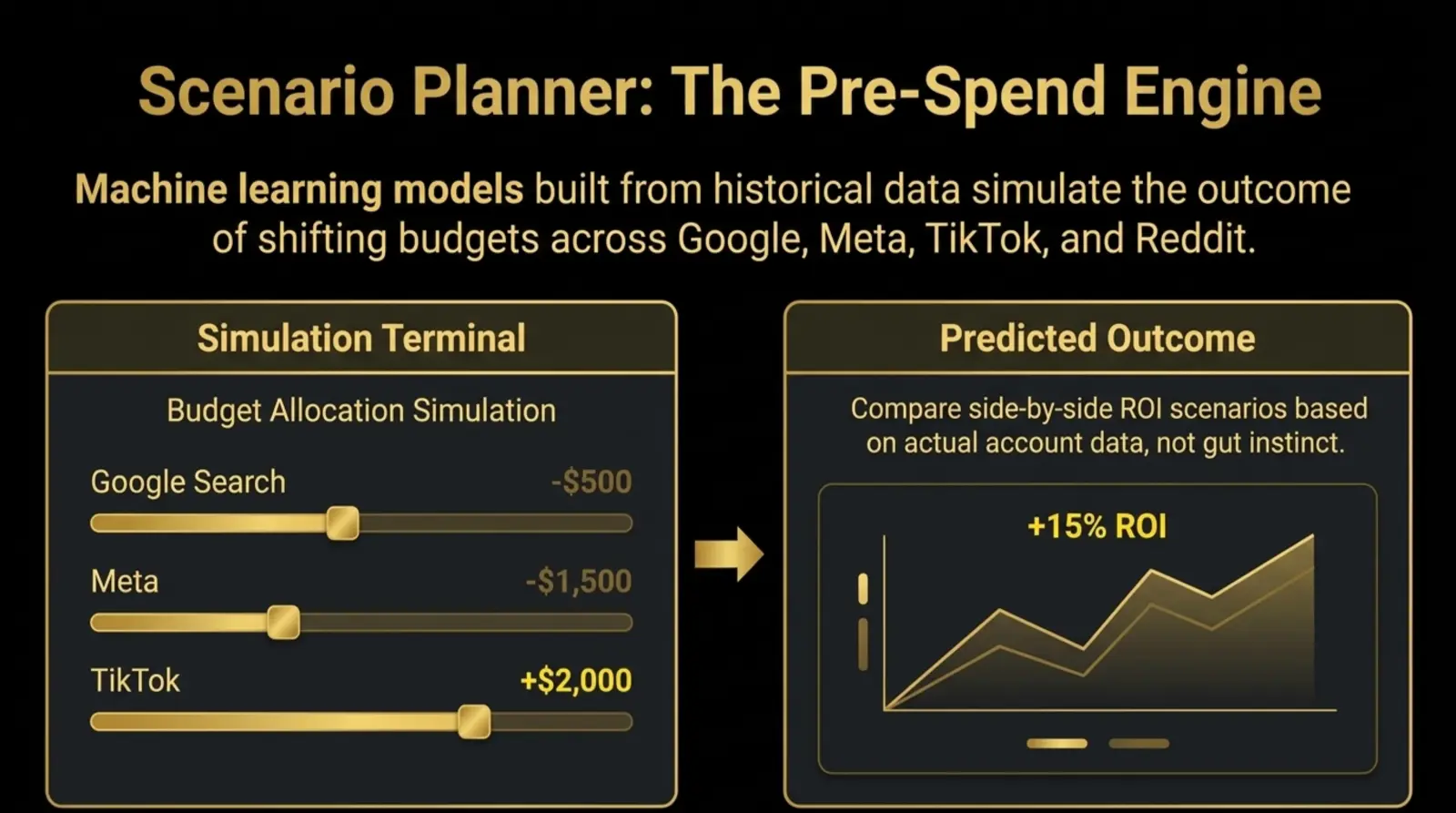
That workflow is starting to change. Google Analytics now includes cross-channel budgeting, a beta planning suite with two main tools: Projection plans and Scenario plans. Many marketers are calling the second tool the GA4 Scenario Planner, because its job is exactly that: model what could happen before you move the money.
The important shift is not that GA4 has one more report. The shift is that GA4 is moving from a place where marketers explain what happened after spend is gone to a place where teams can pressure-test the next budget before committing it.
That is the editorial story behind the feature: analytics is becoming less like a rear-view mirror and more like a planning room. The numbers still come from historical behavior, but the output is now designed to shape the next decision.
Quick Accuracy Note
Some industry coverage refers to a March 2026 launch. Google's official "What's new in Google Analytics" page lists cross-channel budgeting as a beta release on January 16, 2026, with another mention on February 10, 2026. For planning purposes, treat this as an early-2026 beta with limited property availability.
Scenario Planner vs Google Ads Performance Planner
Use GA4 Scenario plans for a cross-channel allocation question. Use Google Ads Performance Planner for forecasting within eligible Google Ads campaigns. Check access and inputs before treating either forecast as a budget decision.
What is the GA4 Scenario Planner?
GA4 Scenario Planner is the search-friendly name for Scenario plans inside Google Analytics cross-channel budgeting. It helps marketers compare possible budget allocations across paid channels and estimate projected outcomes such as conversions, revenue, and ROI.
Instead of asking, "How did last month's budget perform?", Scenario plans ask, "How should the next budget be distributed if the goal is more revenue or more conversions?" That is a meaningful change for performance teams, because budget decisions are rarely made in a perfect straight line.
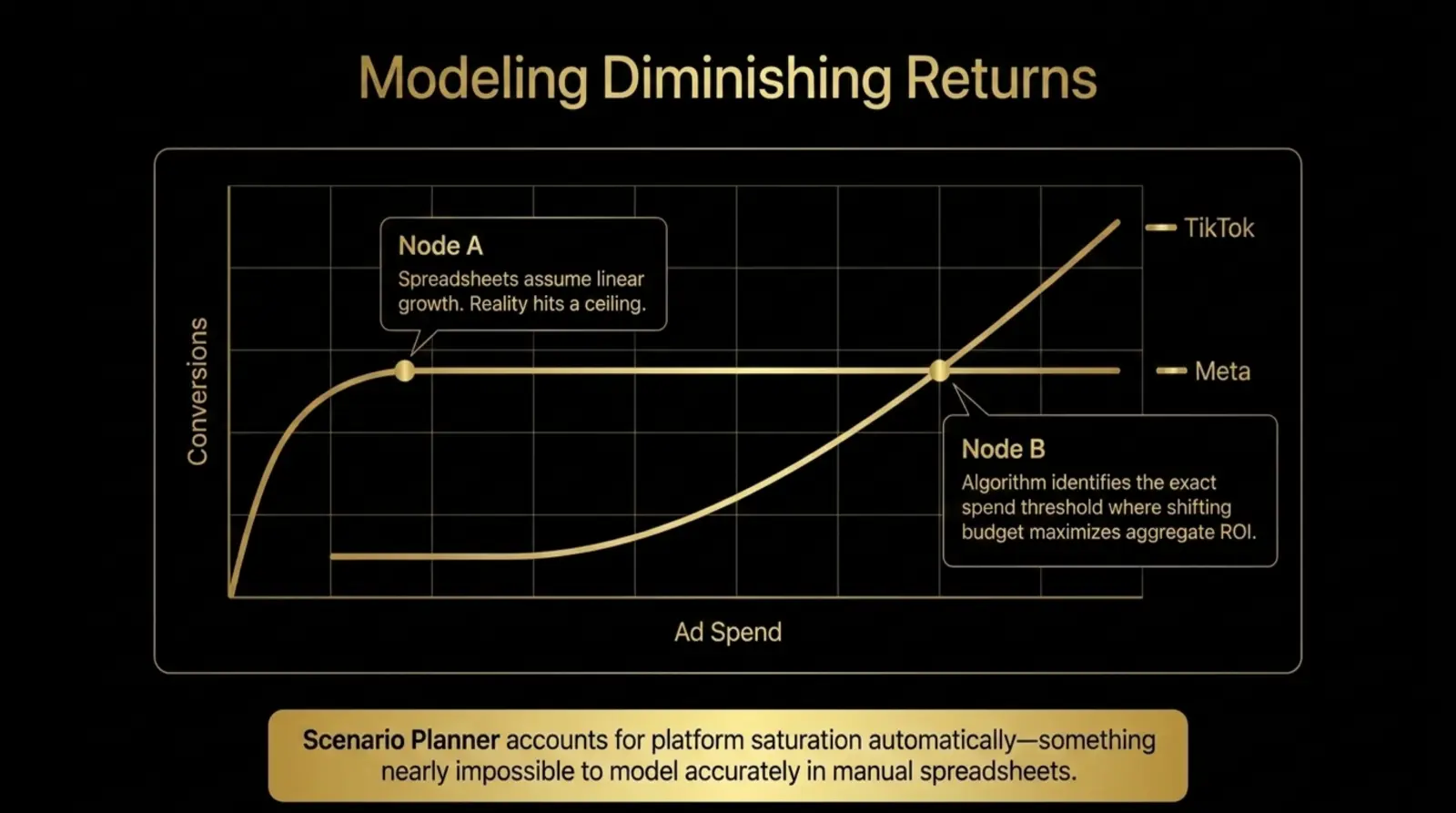
For example, if a business is deciding whether to move $5,000 from Meta prospecting into Google Search, a Scenario plan can model the expected trade-off using the property's historical performance data. It can also show the point where more spend may stop producing proportional return, which is where manual spreadsheets usually get too optimistic.
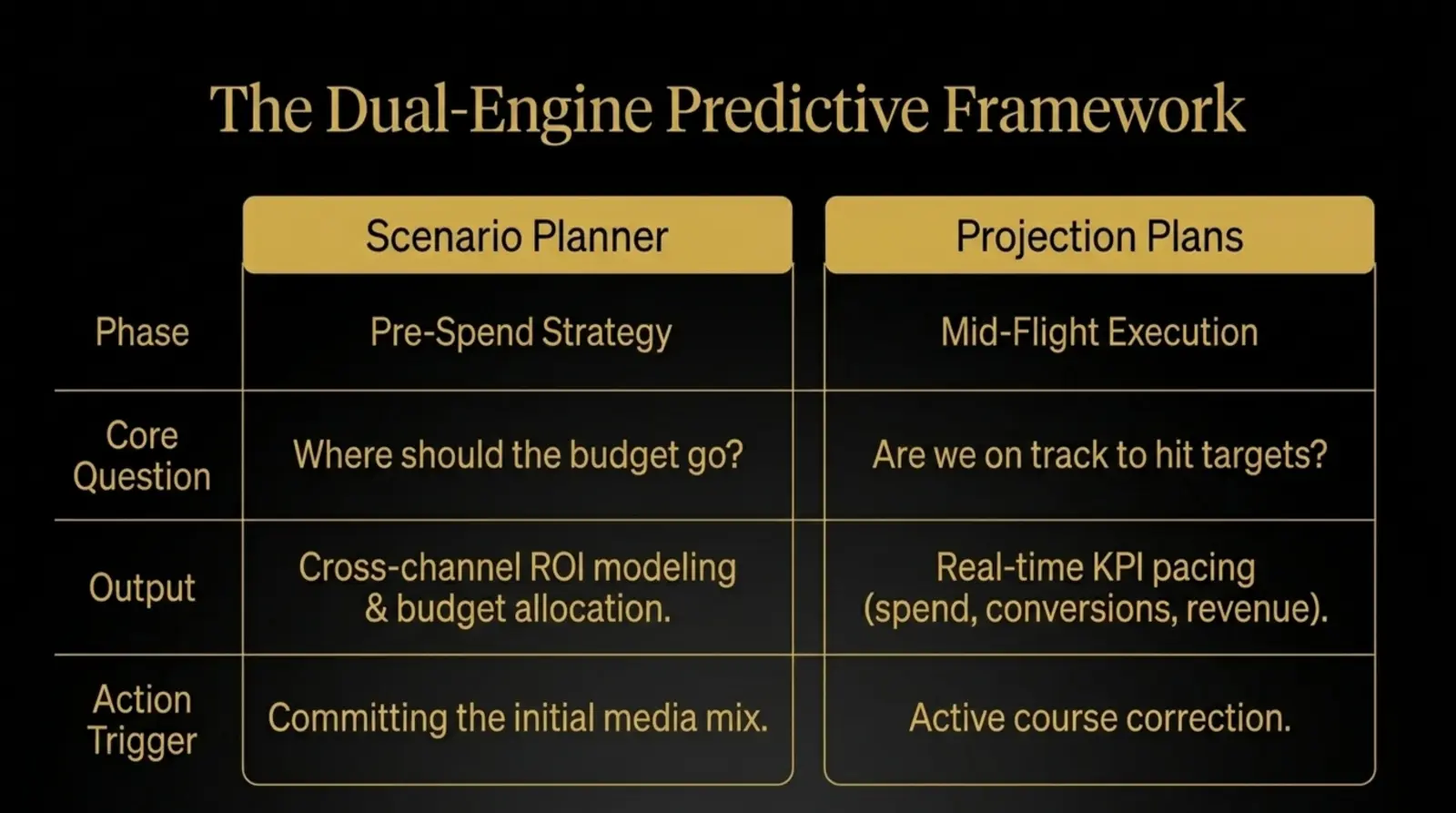
Scenario Plans vs Projection Plans
Google's cross-channel budgeting suite is easiest to understand if you split it into two planning moments: before the money moves and while the money is already moving.
| Tool | When to Use It | Primary Question |
|---|---|---|
| Scenario plans | Before a campaign, quarter, launch, or budget reallocation. | How should I allocate budget to maximize conversions, revenue, or ROI? |
| Projection plans | During an active planning period or live campaign cycle. | Are we on track to hit budget, conversion, or revenue targets? |
Projection plans are the pacing layer. They show whether campaigns are projected to hit defined KPIs and can flag which channels are overperforming or underperforming mid-flight. If paid social is spending too fast while Search is under-pacing, a Projection plan gives you a cleaner view before the month ends.
Scenario plans are the planning layer. They help create future-facing media plans by comparing ROI at different budget levels. Once a plan is live, Projection plans help you monitor whether reality is tracking close to the plan.
Why This Matters for Paid Media Strategy
Most paid media teams already have enough historical data to make smarter decisions, but the data is scattered. Google Ads has one truth, Meta has another, TikTok has another, and GA4 is usually asked to reconcile everything after the fact.
Cross-channel budgeting makes GA4 more useful as a decision-support layer. It connects paid media spend, conversion history, and projected outcomes in the same environment where marketers already evaluate performance. For teams running three or more paid channels, that can reduce the gap between measurement and planning.
This does not replace strategic judgment. It gives that judgment a better starting point. A good media planner still needs to account for seasonality, creative fatigue, inventory constraints, sales capacity, margin, brand objectives, and the reality that historical data does not always predict a market shift.
The practical win is that leadership conversations can move from "here is what happened" to "here is what the next allocation is projected to return, and here are the assumptions behind it."
The Data Requirements Nobody Should Skip
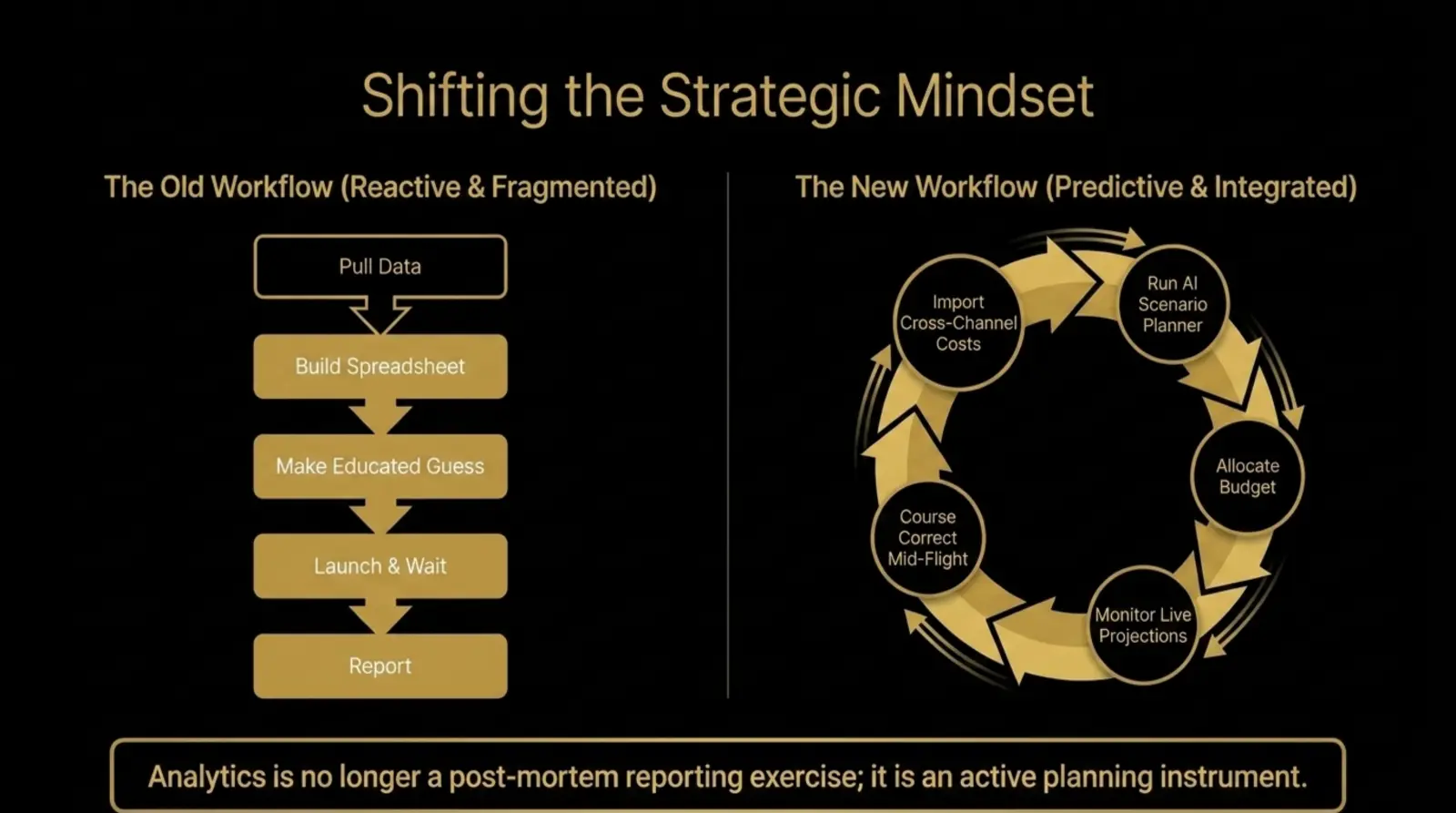
The GA4 Scenario Planner is not magic, and it is not plug-and-play for every property. Forecasting quality depends on the inputs. If cost imports are incomplete or conversion tracking is messy, the model will be working from a distorted picture of the business.
Before relying on Scenario plans or Projection plans, audit the foundations:
- Cost data imports: Import cost and campaign data for non-Google paid channels such as Meta, TikTok, Reddit, and LinkedIn.
- Google product links: Confirm Google Ads and other relevant Google product links are connected to the GA4 property.
- Conversion quality: Use an eligible conversion that reflects a business outcome; a key event alone is not supported for DDA budgeting.
- Revenue tracking: Ecommerce and lead gen teams should verify revenue, qualified pipeline value, or offline outcomes where applicable.
- Attribution settings: Review attribution configuration because budgeting models rely on how GA4 assigns credit across channels.
- Historical data: Check the published requirements for your model in the eligibility companion.
Measurement Priority
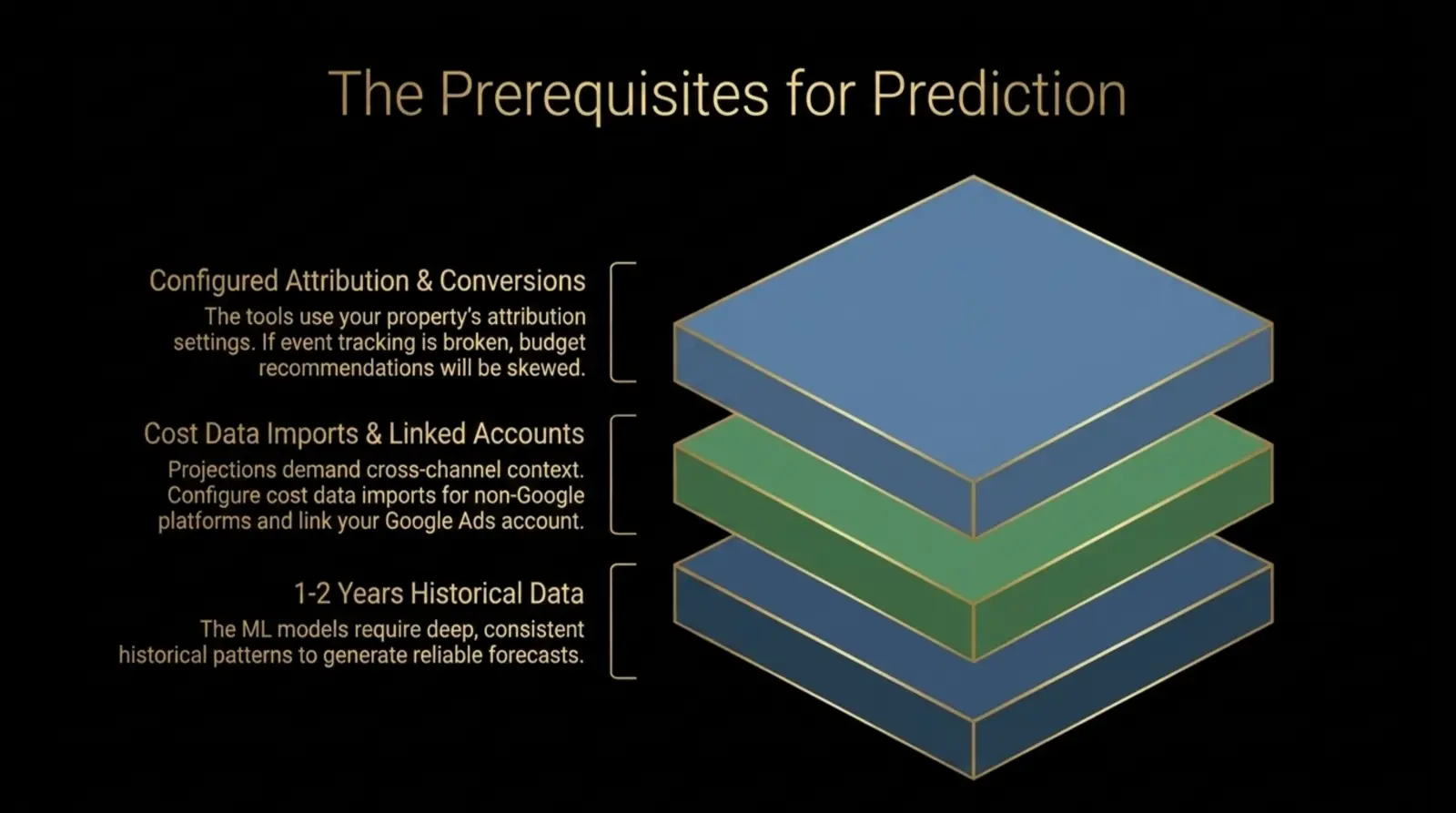
If you do not trust your GA4 conversions today, do not trust a budget forecast built from those conversions tomorrow. Clean measurement is the entry fee for predictive planning.
How to Use Scenario Plans in GA4
If your property has access, Google places budgeting reports in the Advertising section of GA4. The exact interface may continue to change while the feature remains in beta, but the strategic workflow is straightforward.
- Choose the planning period: Use the month, quarter, annual cycle, or campaign flight you need to budget for.
- Select the target KPI: Scenario plans can optimize around conversions or revenue, depending on eligible data in the property.
- Select the conversion: Google notes that Scenario plans allow one conversion selection at a time, based on what is eligible for budgeting models.
- Set the budget estimate: Enter the total budget you want the model to evaluate.
- Review the response curve: Compare projected ROI at different budget levels and look for signs of diminishing returns.
- Compare scenarios: Run variations so the team can evaluate how sensitive the forecast is to channel mix and budget size.
The most useful output is not a single "perfect" allocation. It is the range of options. When three scenarios all point toward the same channel mix, confidence rises. When small budget changes create big forecast swings, the plan needs more scrutiny before money moves.
How to Use Projection Plans Once Campaigns Are Live
Once spend is active, Projection plans help answer whether the plan is pacing toward the selected KPI. They are useful because budget problems rarely wait until the end of the month to become visible.
Google's documentation describes Projection plans as a way to monitor expected channel performance against budget, conversions, and revenue. The chart includes actual performance to date, projected performance, and model confidence bounds. Wide confidence ranges can indicate that performance patterns have changed or that the model needs more data.
For a performance team, that means Projection plans should become part of weekly optimization, not just end-of-month reporting. Compare the forecast against actual delivery, then decide whether the issue is budget, channel efficiency, conversion lag, tracking quality, or a temporary market shift.
Where Marketers Can Go Wrong
The biggest risk with GA4 Scenario Planner is false confidence. A modeled estimate can make a recommendation look more precise than it really is. That does not mean the tool is weak; it means the output needs to be interpreted properly.
- Treating forecasts as guarantees: Google is clear that Scenario and Projection outputs are estimates, not promises.
- Ignoring offline reality: A forecast can optimize toward leads, but sales capacity, lead quality, inventory, or fulfillment may still constrain revenue.
- Using incomplete cost imports: Missing spend from Meta, TikTok, Reddit, LinkedIn, or other channels weakens cross-channel recommendations.
- Forgetting that Scenario plans are static: Google says the response curve reflects conditions at creation and does not update automatically unless plan settings are changed or a new plan is created.
- Modeling noisy conversions: If the selected conversion is too soft, the plan may improve low-value actions instead of business results.
Action Plan Before You Get Beta Access
Even if cross-channel budgeting has not appeared in your GA4 property yet, the preparation work is worth doing now. The same foundations that make Scenario plans useful also improve reporting, incrementality analysis, and paid media governance.
Before trusting any forecast, make sure your historical Google Ads exports are protected with the Google Ads data retention checklist and your paid search cleanup is current with the search terms waste analyzer. Bad inputs make confident models confidently wrong.
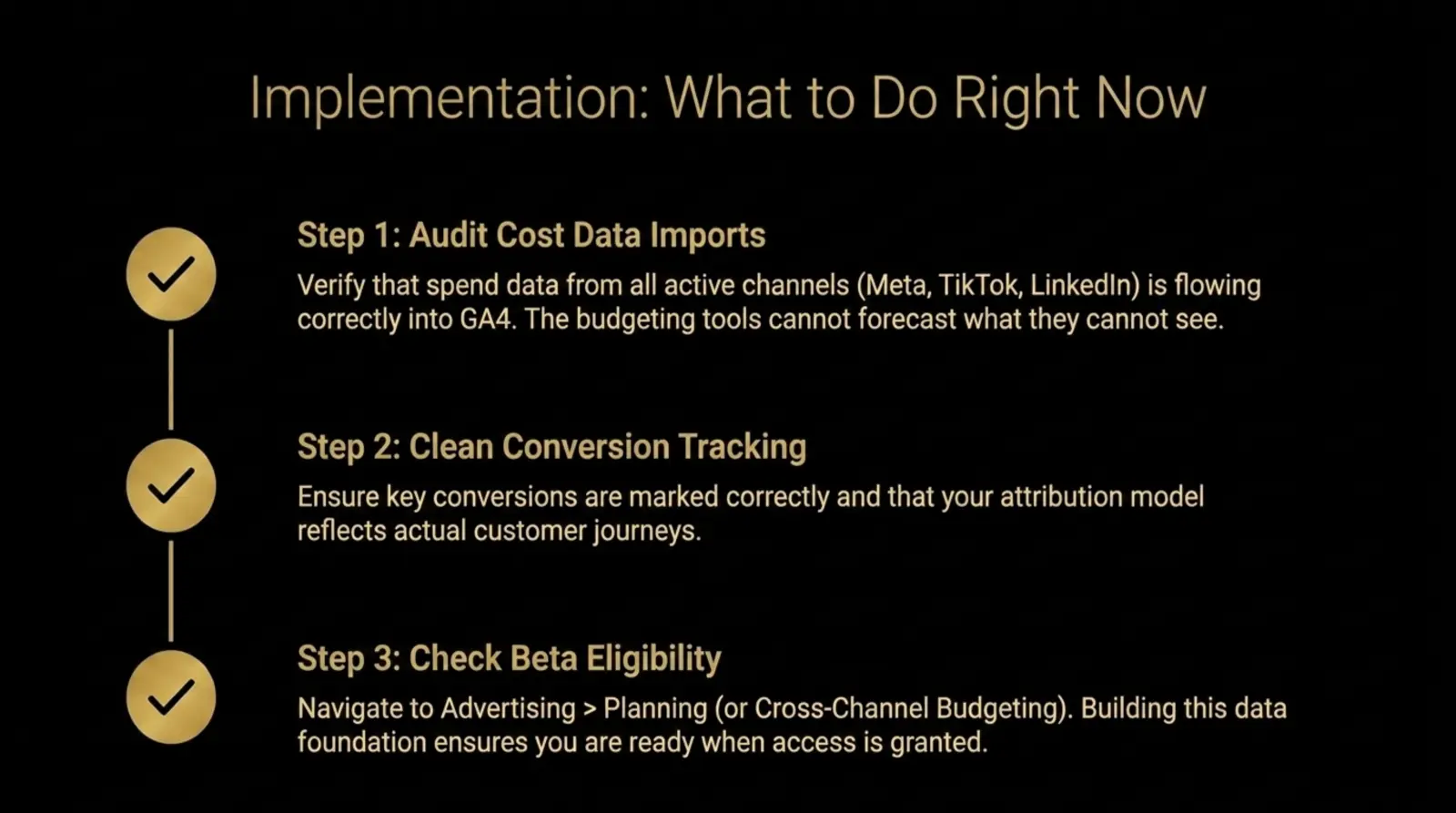
- Audit every paid channel: List all Google and non-Google spend sources and identify which ones currently flow into GA4.
- Fix naming conventions: Standardize campaign names, UTMs, source platforms, and channel groupings before the data feeds a model.
- Separate primary and secondary conversions: Keep the model focused on meaningful outcomes, then use softer events as diagnostic context.
- Compare forecasts against reality: When access arrives, start with a Projection plan and measure forecast accuracy before making large reallocations.
- Document assumptions: Record seasonality, promo periods, creative changes, sales constraints, and tracking changes beside every plan.
If your measurement layer needs work first, start with a GA4 and GTM tracking audit. If you want to test whether channel changes are truly incremental, pair budget planning with a conversion lift and incrementality framework.
FAQ: GA4 Scenario Planner and Cross-Channel Budgeting
What is the GA4 Scenario Planner?
GA4 Scenario Planner is the common name marketers are using for Scenario plans in Google Analytics cross-channel budgeting. It helps model future paid media budget allocations and estimate projected outcomes before spend is committed.
How is Scenario Planner different from Projection Plans?
Scenario plans are for future planning. Projection plans are for in-flight pacing. Use Scenario plans to decide where the next budget should go, then use Projection plans to monitor whether active campaigns are tracking toward budget, conversion, or revenue targets.
Does GA4 Scenario Planner work with Meta, TikTok, and Reddit?
Yes, but only if GA4 has the required campaign and cost data for those platforms. Google Ads can be linked natively, while non-Google platforms generally require cost data imports or supported integrations.
Is GA4 Scenario Planner free?
Cross-channel budgeting is part of Google Analytics, but it is currently a beta feature and may not be available to every property. Eligibility depends on property-level access and sufficient data.
How much historical data do you need?
Google now documents specific minimums by model. See the historical-data requirements for DDA and Meridian, including campaign-cost coverage and model validation.
Are GA4 Scenario Plan projections accurate?
They are modeled estimates. Use them to structure budget conversations and compare possible allocations, but do not treat them as guaranteed outcomes. Data quality, attribution settings, tracking changes, and market conditions all matter.